This guide explains how to submit a developer application for production review from inside the SPA Developer Portal.
Before submitting to production, make sure you have:
- Tested the application's scopes, webhooks, and benefits end to end in the sandbox.
- Confirmed the application behaves as expected for real customer scenarios.
In the sidebar, switch to the Production tab.
Click Application submissions in the Production sidebar (CheckCircle icon). This page lists every application you have submitted, with its submission date and current review status.
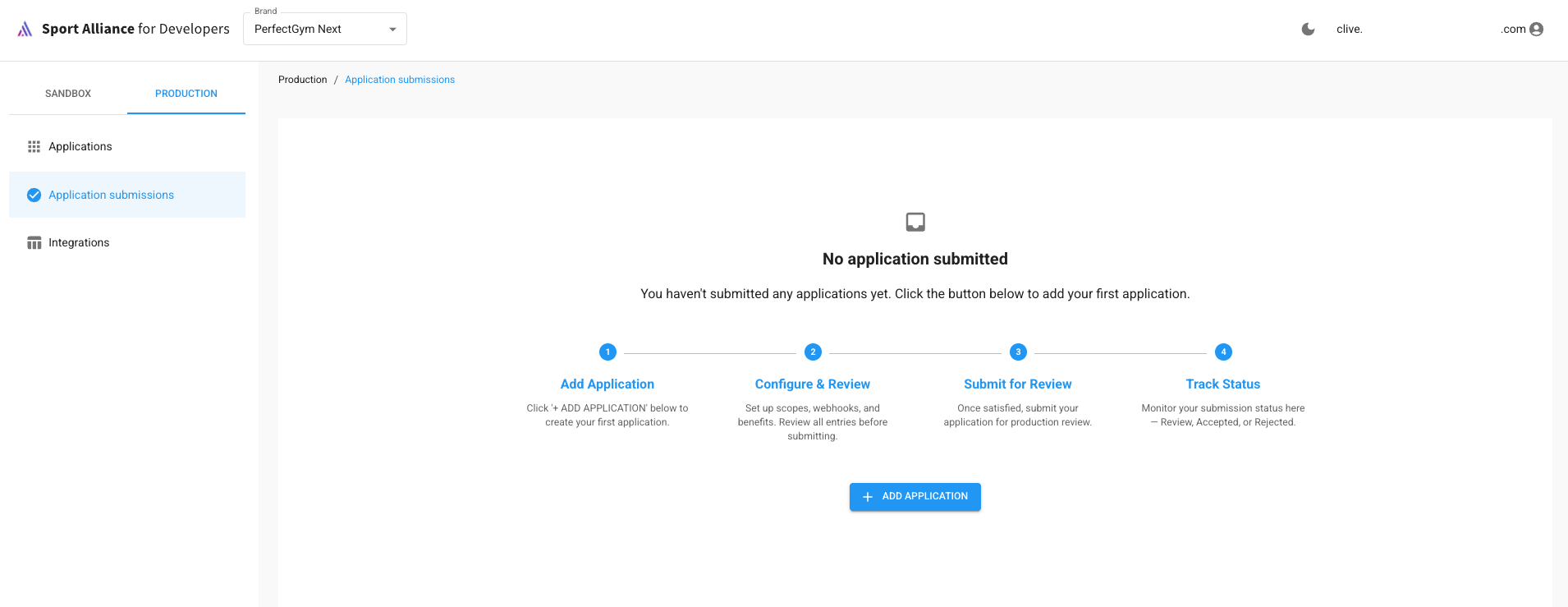
If you haven't submitted anything yet, you'll see an empty state with a short walkthrough and an ADD APPLICATION button.
Click + ADD APPLICATION. A modal opens asking for:
- Application Type (Application type cannot be changed later)
- Application Name
- Activation Email
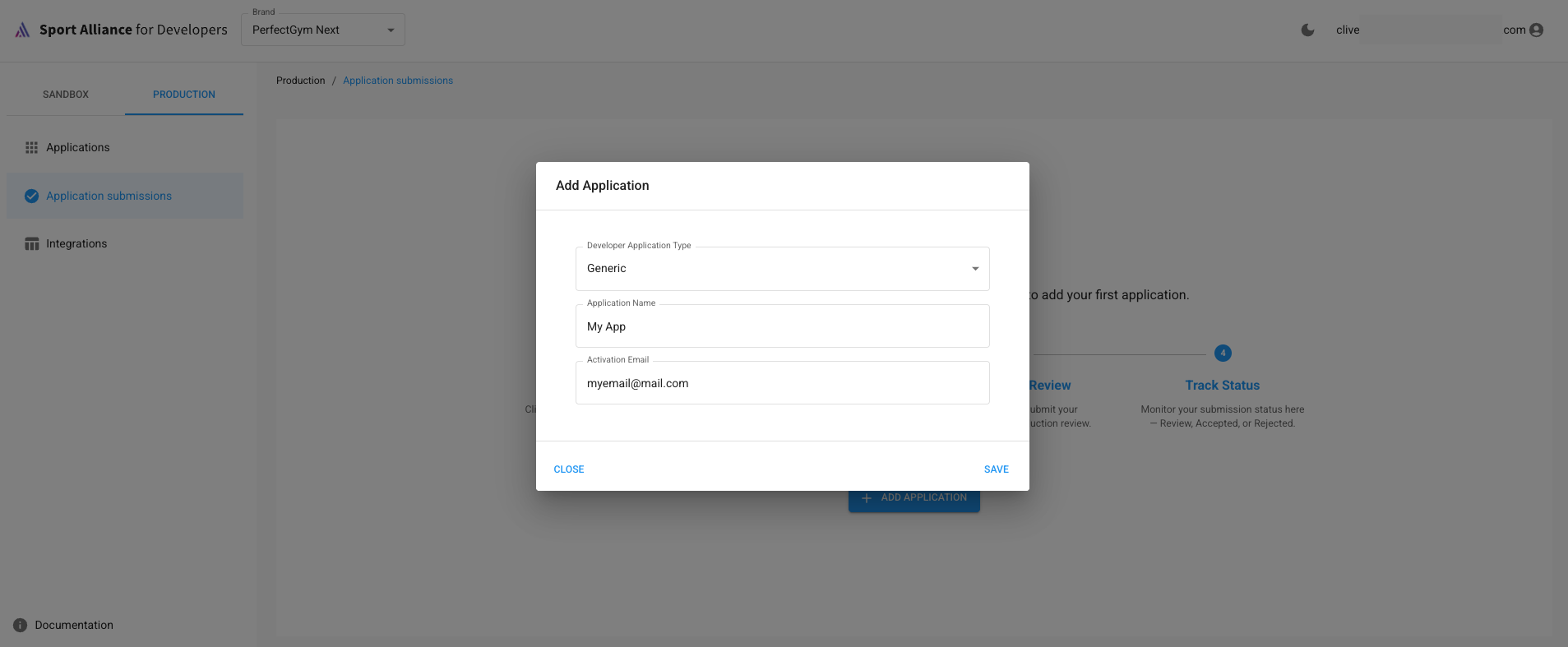
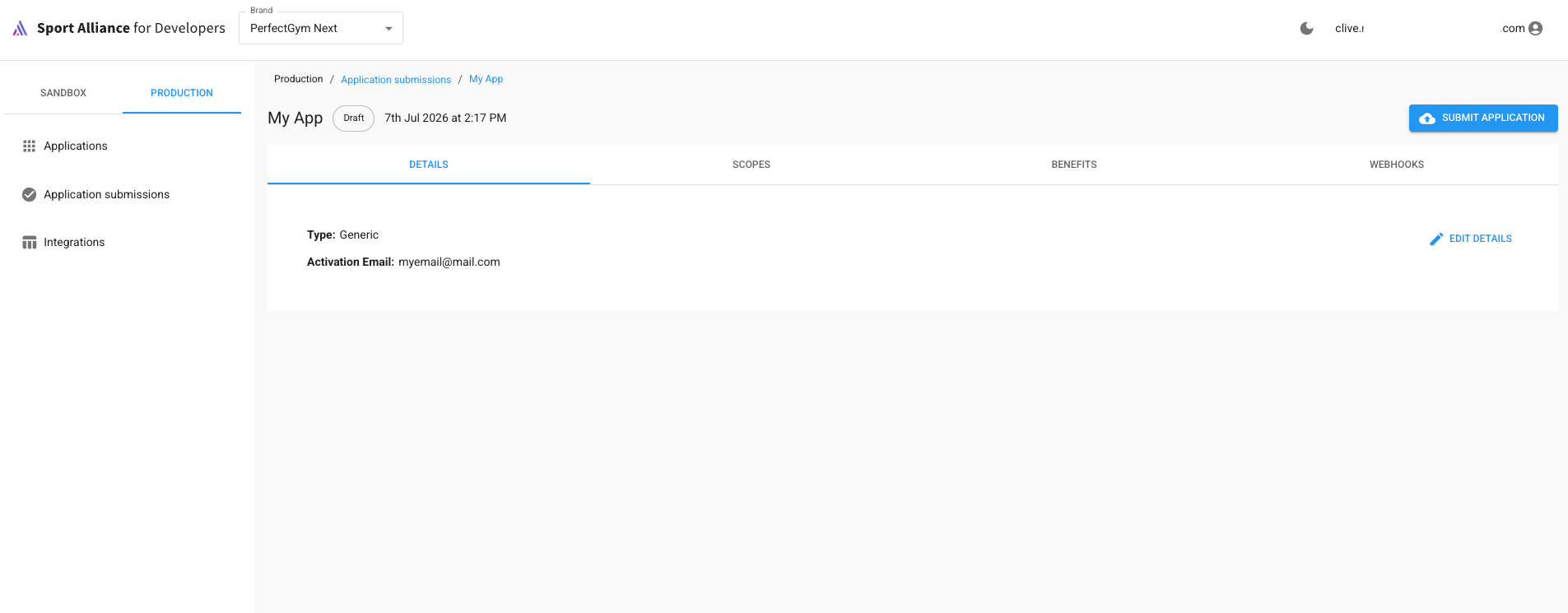
Submitting the modal creates the application in Draft status and takes you straight to its detail page.
On the detail page, work through the same tabs used for sandbox applications:
- Details — name and activation email (editable any time via "Edit Details").
- Scopes — the permissions your application needs in production.
- Webhooks — endpoints that should receive real-time events.
- Benefits — services to auto-create when the integration is activated.
- Events — event configuration relevant to your integration type.
Before submitting, prepare the following — production reviewers will check for this:
- Application Overview: what the application does and how it integrates with the platform.
- Scope Justification: why requested scope/permission is needed.
Once every tab is filled in and reviewed, submit the application for production review. Its status moves from Draft to Submitted.
Back on the Application submissions list, each application shows a status chip:
| Status | Meaning |
|---|---|
| Draft | Created but not yet submitted for review |
| Submitted | Sent to the review team, awaiting triage |
| In Review | Actively being reviewed |
| Accepted | Approved for production |
| Completed | Fully live in production |
| Rejected | Not approved — see notes and resubmit a new app if needed |
The info banner at the top of the page is a reminder: this list is read-only.
- Support and general onboarding: see the public Getting Started guide.
- For issues specific to this portal (submissions stuck, statuses not updating), contact the Sport Alliance support team.